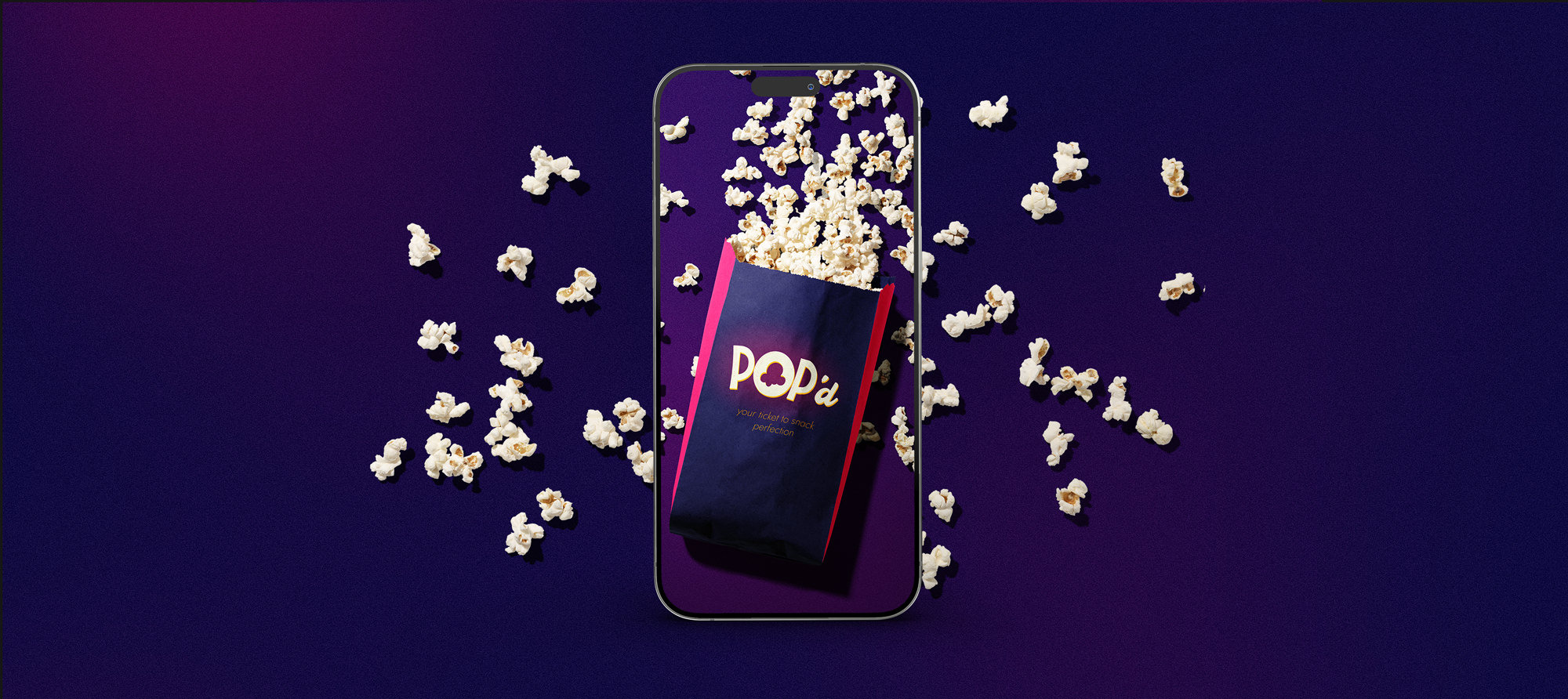
POP’d
The app that makes movie snacking easy as a flick!
This case study explores the creation of an innovative mobile app designed to revolutionize the movie theatre snacking experience. The project not only involved developing a user-friendly app for ordering snacks seamlessly but also crafting a vibrant and engaging brand that resonates with moviegoers. Join me as we delve into the design process, from initial concept to final product, and discover how user experience principles were applied to enhance the movie-snacking experience.

Overview
The project involved designing a mobile app that enhances the movie-going experience by allowing users to conveniently order snacks from their smartphones and pick them up at the theatre’s counter. The goal was to streamline the snack-ordering process, reduce wait times, and improve overall customer satisfaction. The app’s design focused on simplicity, ease of use, and seamless integration with the theatre’s existing systems. Through user research, iterative design, and usability testing, the app was tailored to meet the specific needs and preferences of moviegoers, ultimately enhancing their overall movie-watching experience.
Role
UX Designer
UX Researcher
Visual Brand/UI Designer
Project Type
Google UX Design Certificate Program
Tools
Figma
Affinity Designer
Procreate
Adobe Photoshop
Problem Statement
Movie theatres are in need of a solution that improves the snack-ordering experience by making it more accessible and user-friendly for all patrons. Current methods are often cumbersome and time-consuming, leading to frustration. The goal is to create a seamless and inclusive ordering process that enhances the overall movie-watching experience for everyone.
Initial User Research
As part of the initial research, I headed to the movies to interview moviegoers about their experience.
Research Goals
- To identify the common behaviours and experiences related to ordering food.
- To understand the emotions people feel with they are ordering food at the movies.
- To understand the frustrations of ordering food at the movies.
Target Audience
- Age: 21-40
- Canada
- Students & Professionals
- Enjoys attending movie theatres
Interview Questions
- Have you ever used an app to order food? Could you describe your experience?
- What features made it easy for you to order food on an app?
- What would you like to see first when opening an app for ordering snacks at the movie theatre?
- How would you like to be notified when your order is ready?
- Does wait time matter to you when ordering snacks at a movie theatre?
Analysis
I interviewed four moviegoers about their experience ordering food on mobile apps and at the movies. I found that the following things were important to them:
Positives
- Many users enjoyed that they could save favourite items/orders to quickly order again.
- Users said that ordering on an app was easier than ordering in person for those with a disability or language barrier.
- Many users expressed that they enjoyed apps with a tracker after placing the order, and a notification when the order was ready.
Frustrations
- Many users expressed that it was often difficult to create combos while ordering on a mobile app,
- All users expressed that the wait in line for food was a source of frustration when getting movie snacks.
- Many users expressed that they struggled to find healthy meals or meals that met their dietary restrictions.
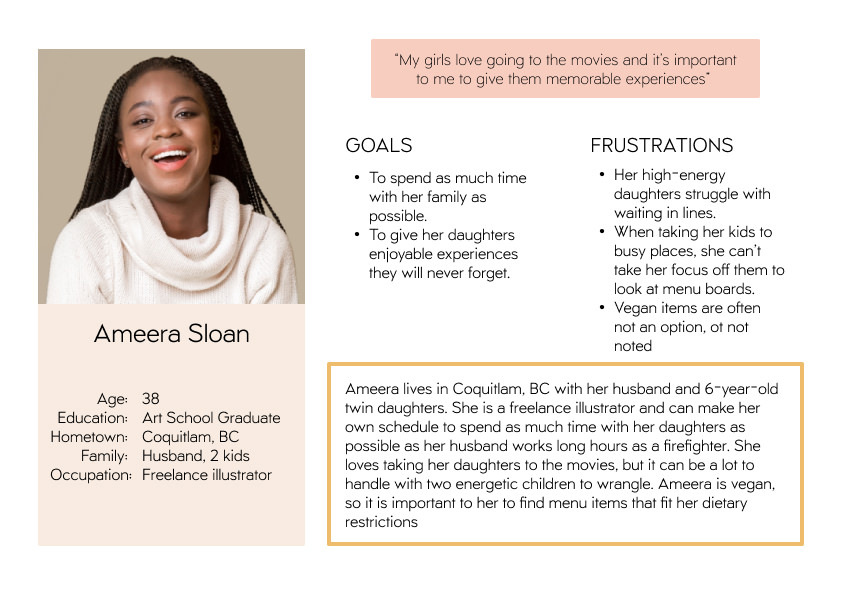
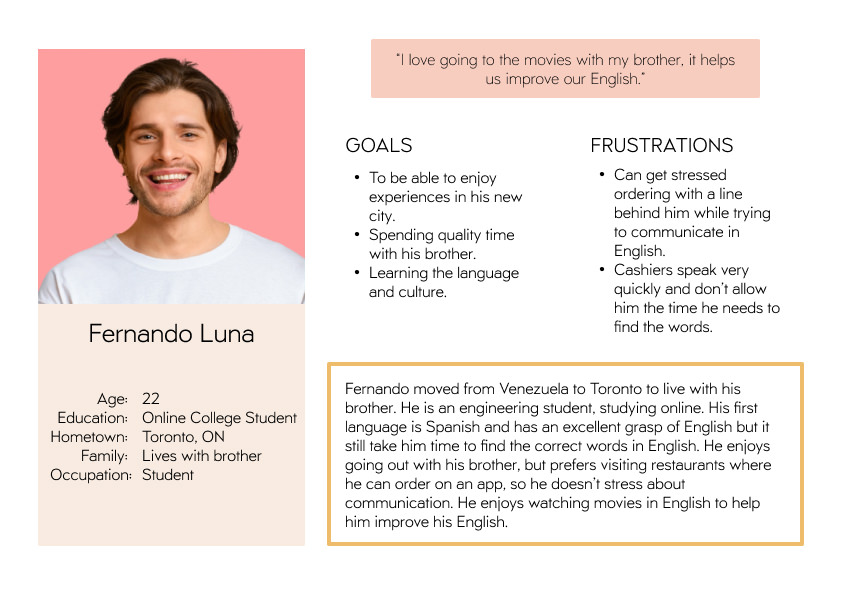
After analyzing the data collected from the interviews, I prepared personas to empathize with the user

Competitive Audit
I did a competitive audit on three competitors with the goal of comparing the user experience for purchasing snacks on the competitors’ apps or websites. After identifying where the competitors did well and also where they fell short, I was able to make an informed decision on how to design a product that fills the gaps in the market. I identified the following opportunities:
- Create a feature that allows users to track the progress of their order and notify them when their order is ready to be picked up.
- Have an opportunity for users to save favourite orders to quickly reorder, and an option to order a refill.
- Integrate more accessibility features – audio, voice, multi-language.
- Have large images of the products.
Telling the Story
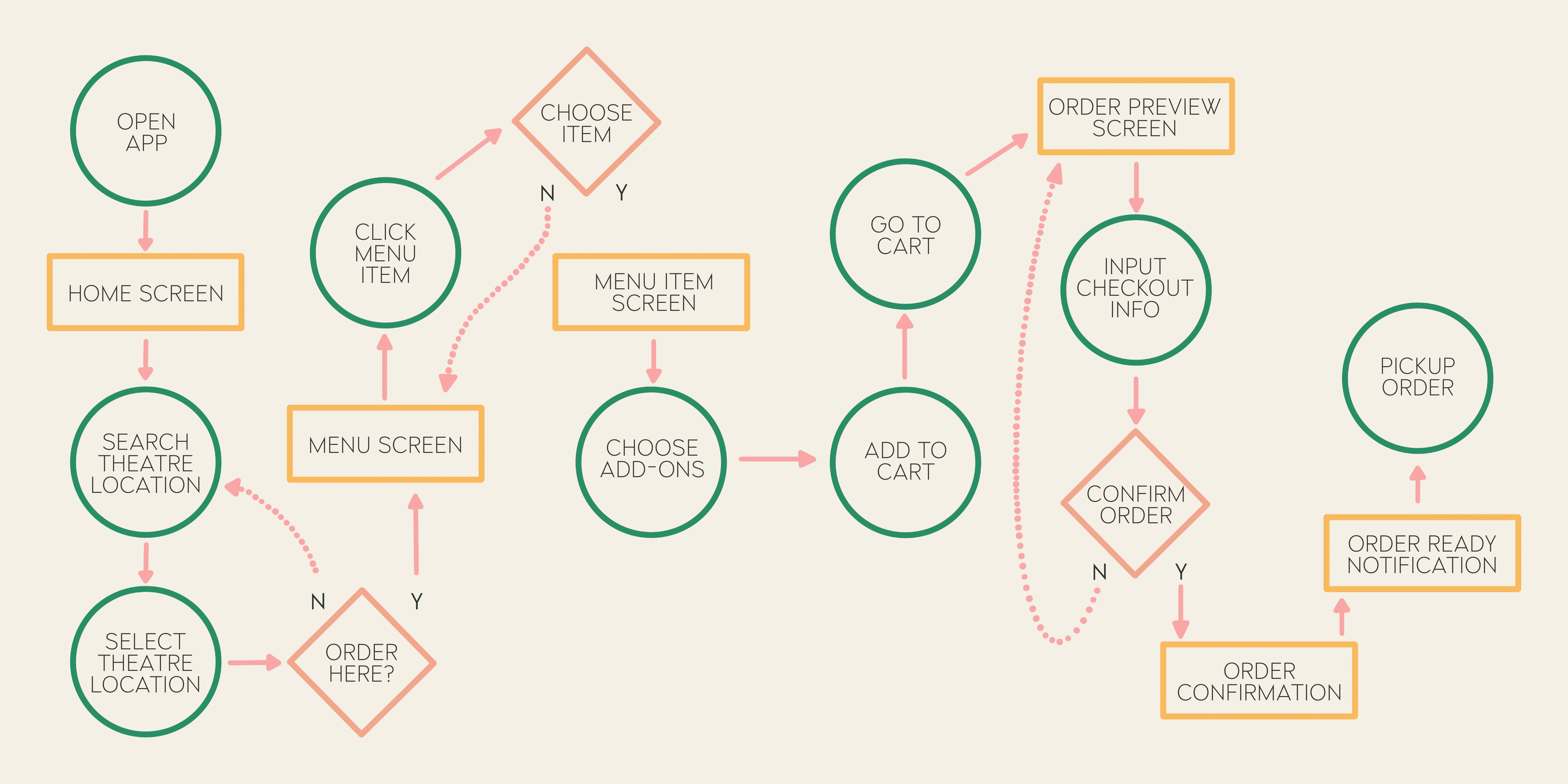
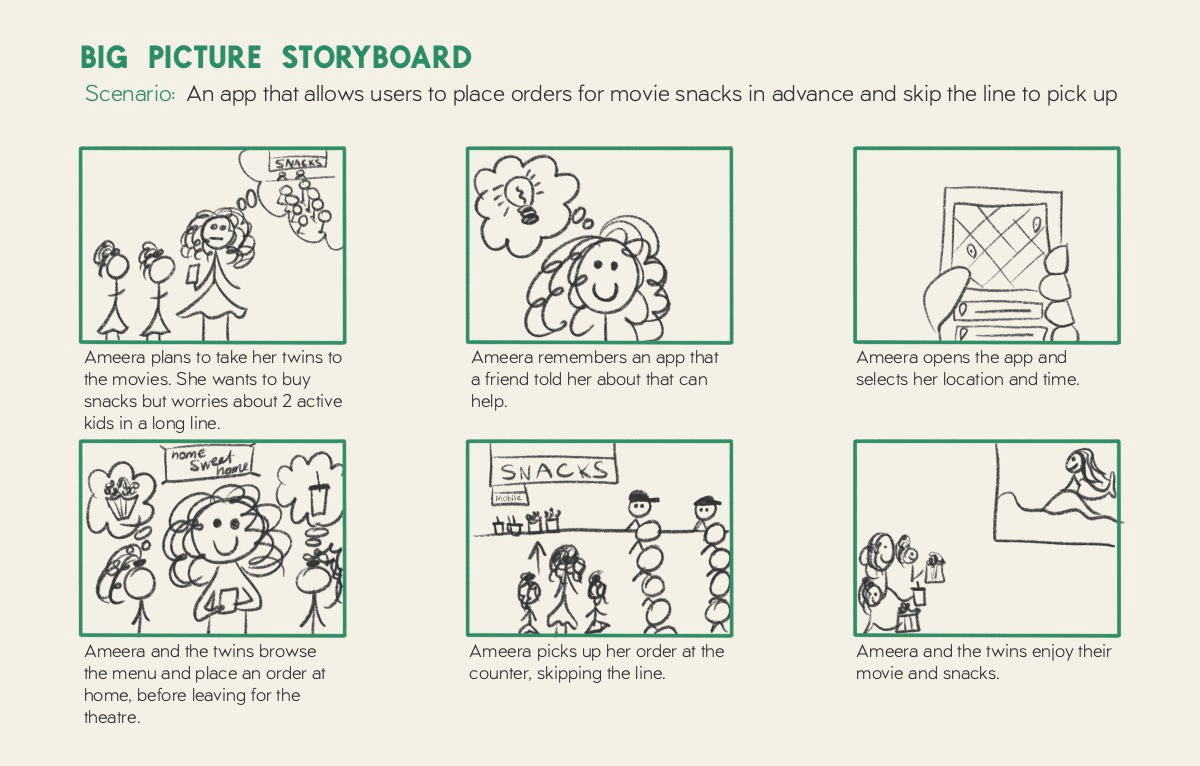
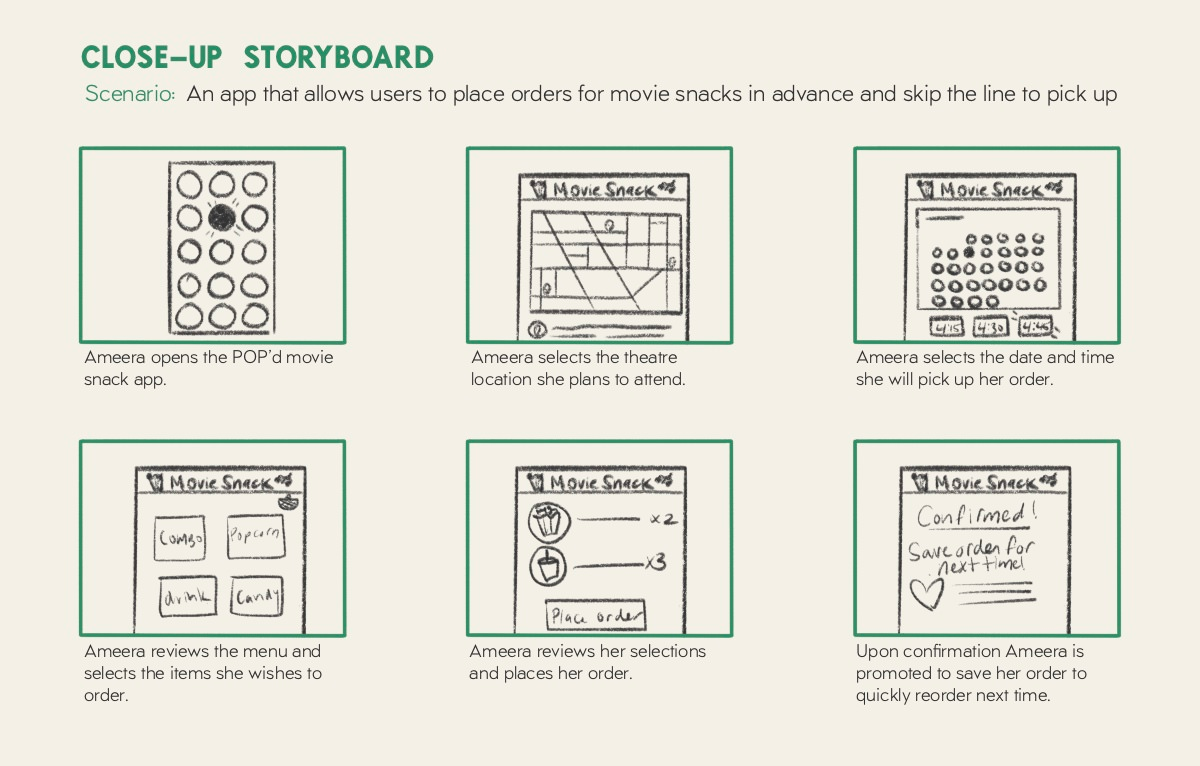
This user flow is a product of empathizing with the user and synthesizing the insights from the competitive audit. Once I determined the steps that the user would need to take to place a movie snack order, and before I jumped into creating wireframes, I created the following storyboards to further understand the journey of the persona, Ameera. As she is a mother who often takes her busy twin girls to the movies on her own, I wanted to understand what steps she would take in deciding to use the app to order snacks and also how she would navigate the process of using the app.
Wireframes & Low-Fidelity Prototypes
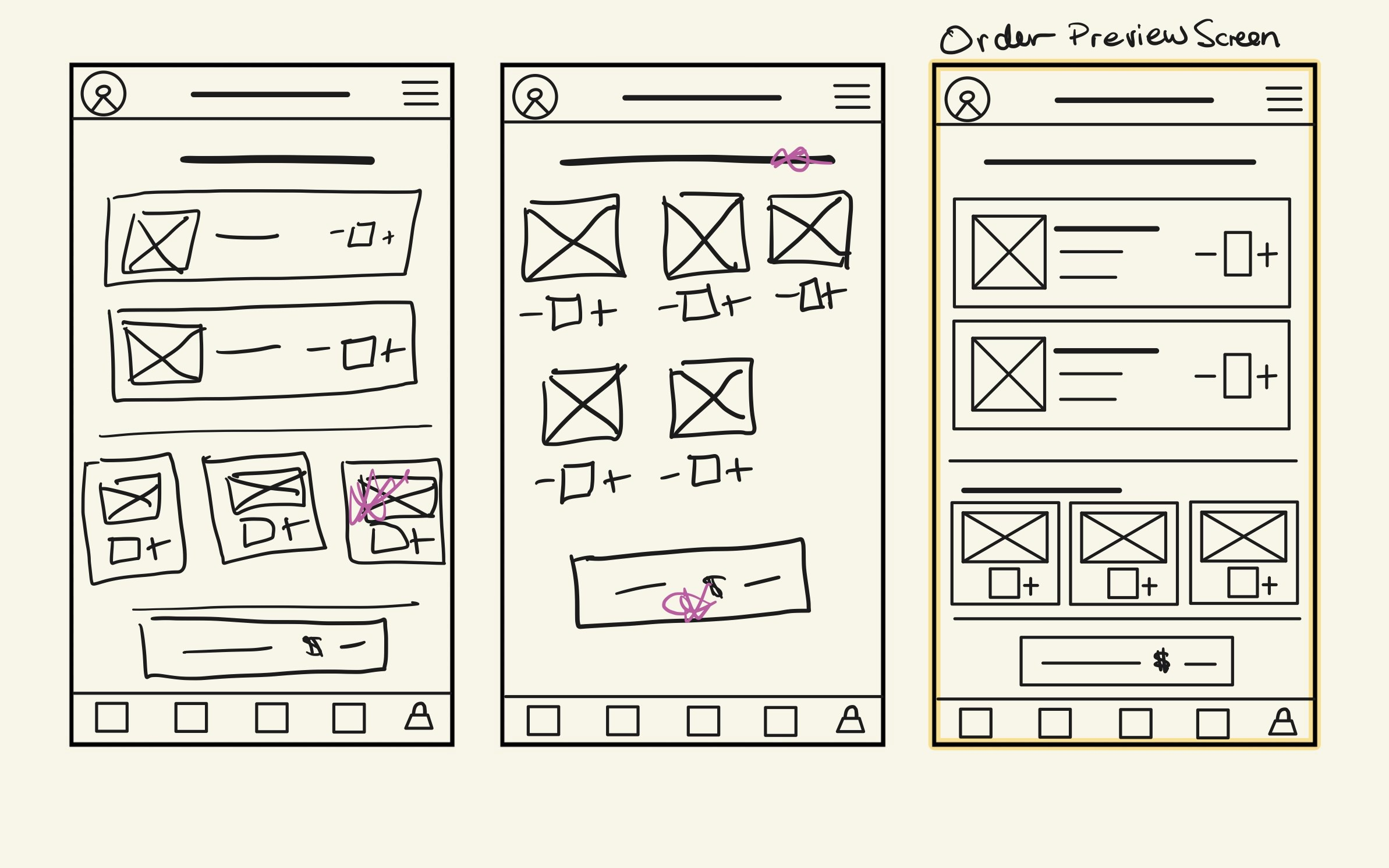
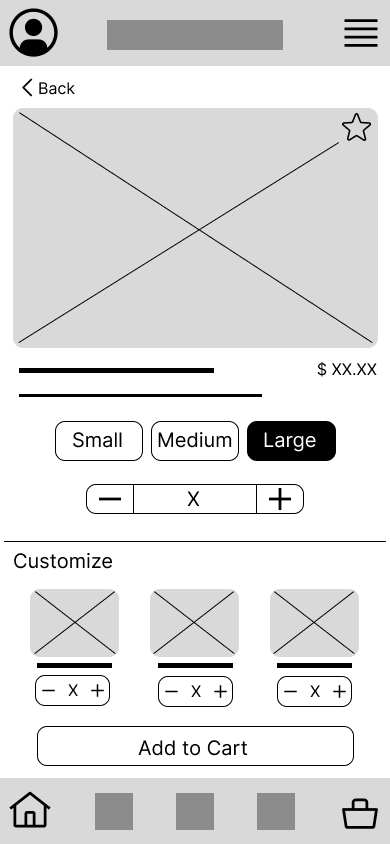
In this stage of the design process, I focused on translating the user flow into a visual structure. Wireframes were created to map out the layout of each key screen, ensuring a clear and intuitive flow for users to navigate through the app. These low-fidelity prototypes helped refine the app’s functionality and allowed for quick iterations based on feedback.
Wireframes
I designed multiple wireframe sketches for key screens of the POP’d app, selecting the best elements from each to combine into the most effective design. This approach allowed me to explore different layout options and streamline the user experience before moving forward with the high-fidelity design.
Low-Fidelity Prototypes
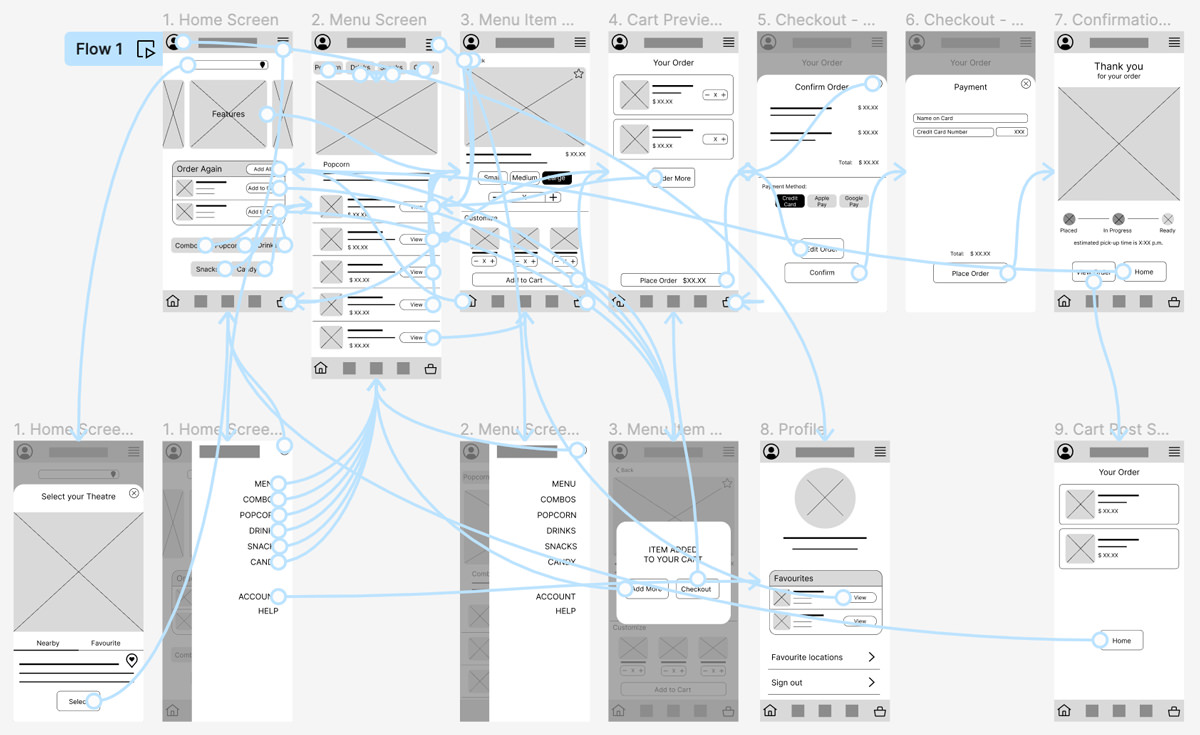
I developed a low-fidelity prototype for the POP’d app, incorporating interactions to test usability. This prototype enabled me to simulate the user journey and identify any friction points, ensuring a smoother and more efficient experience for users.

Usability Testing
To ensure the app would meet user needs and expectations, I conducted usability testing with a group of target users. The testing focused on evaluating the ease of navigation, the intuitiveness of the ordering process, and the overall satisfaction with the app’s design.
Research Goals
To determine if the movie snack app was easy to use for users buying movie snacks.
Research Questions
- How long does it take a user to complete a purchase?
- What frustrates users most about ordering snacks through the app?
- Do users save time ordering on the app?
KPIs
- Time on task
- System Usability Scale (SUS)
Methodology
- Unmoderated usability study conducted remotely in Canada.
- Participants completed the task of placing an order for movie theatre snacks and a questionnaire post-task.
- Each session lasted 45 minutes, including an introduction, a list of tasks, and a questionnaire.
Participants
- Users who attend movies at least once a month.
- Demographic: Two male, two female, one non-binary, and includes one user of an assistive device and one parent who attends movies with a child.
- Age range: 20-60.
Insights

Time on Task
2.5 minutes

System Usability Scale
82.5
Positive: The app was easy to navigate.
Negative: Users said the bottom navigation bar seemed cluttered.
Specific Feature: Users liked the confirmation window that popped up after they added items to their cart, allowing them the option to add more or to check out.
Final Design
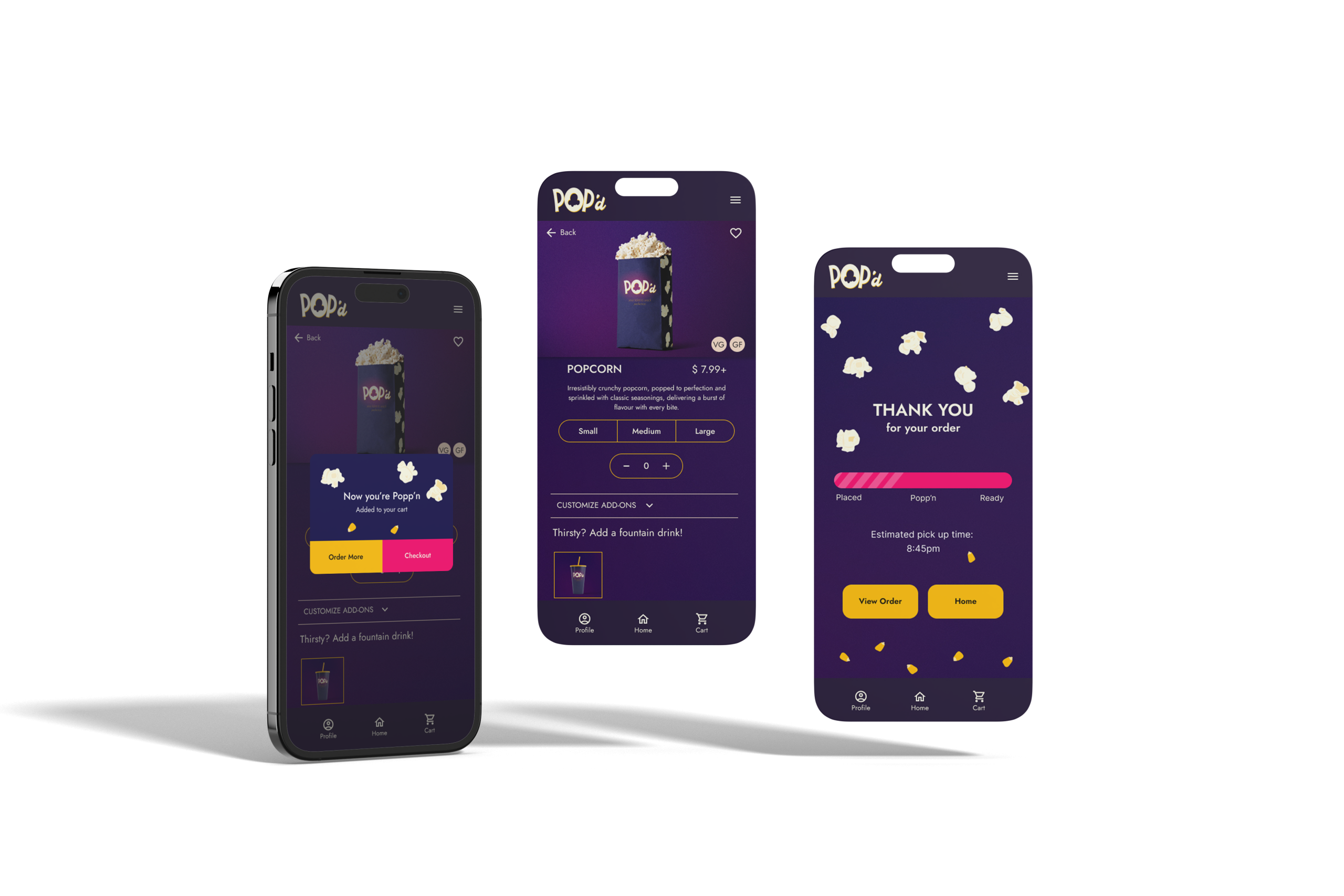
User-friendly Interface
Dark background to minimize distraction during the movie and reduce eye strain.
Inclusive Options
Clearly marked vegan and gluten-free options.
Streamlined Ordering Process
Popcorn and drink combo option on the same screen for easy combo creation.
Enhanced User Experience
Retained the ‘Added to Cart’ confirmation pop-up for better usability.
Order Tracking Feature
Added an order tracker post-checkout for real-time updates.
Key Takeaways & Lessons Learned

User-Centred Design
- Emphasized the importance of understanding user needs through thorough research and feedback.
- Learned how to empathize with users and create solutions that address their pain points.

Iterative Design Process
- Gained experience in iterative design, from initial sketches to final prototypes.
- Understood the value of usability testing and making data-driven design decisions.

Technical Skills
- Developed proficiency in design tools and techniques, such as wireframing, prototyping, and conducting usability studies.
- Gained experience in creating accessible and inclusive designs.